![tt-Lockup-Horizontal-Color-DarkReverse-RGB@3x-Jan-25-2024-04-20-54-6750-PM.png]](https://www.true-tickets.com/hs-fs/hubfs/tt-Lockup-Horizontal-Color-DarkReverse-RGB@3x-Jan-25-2024-04-20-54-6750-PM.png?height=50&name=tt-Lockup-Horizontal-Color-DarkReverse-RGB@3x-Jan-25-2024-04-20-54-6750-PM.png)
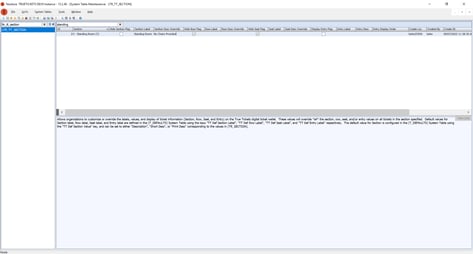
Use the custom True Tickets system table Seat Wayfinding Element Overrides (LTR_TT_SECTION):
-
Add a row
-
Select the Section from your seating map
-
Legend character - Section Name (ID from Seat Map Sections (TR_SECTION) )
example: G - Gen Adm (9)
-
-
Check the Hide Row Flag to hide the row information
-
Check the Hide Seat Flag to hide the seat information
-
Save the changes
NOTE:
-
You CANNOT hide all three of Section, Row, and Seat. One of the three must be displayed.
-
Every time this section is used, it will display the contents of the table. You would want to create separate sections for separate types of tickets.
You may need to trigger an update to the tickets if digital tickets have already been delivered. Do this by adding a Content Line to the Performance: TT QR Refresh Rate set to 31. Save the Performance change and the tickets will update after the next Poller run. Pollers run every 15 minutes.
This image shows an example of the setup for a Standing Room Only section.